Since we started using Resos, we have found the flexibility of the product and customer support incredible. It's very user friendly and easy to manage in-house which is a huge plus!

Charge a prepayment when guests book and the no-show problem starts to fix itself. Set the amount per guest or per booking, choose which shifts require it, decide how late guests can cancel for a refund. Resos handles the charge, the refund window, and the reconciliation on the same booking.
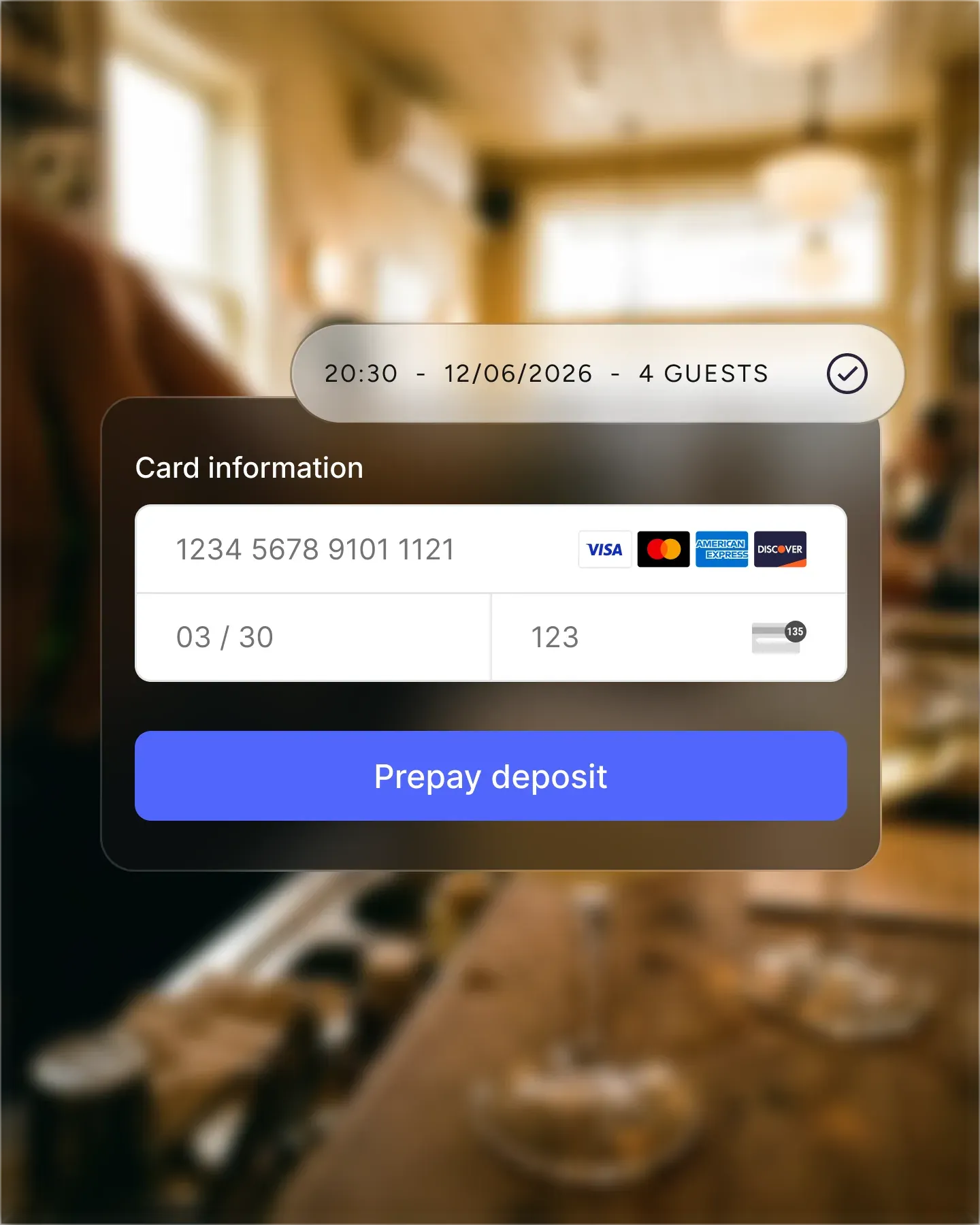












Apply the deposit only to the services that actually need it. Lunch can stay open and casual while Friday and Saturday dinner require a card on file. Toggle the deposit on or off per opening hour, per area, per booking type, without rebuilding the booking flow.
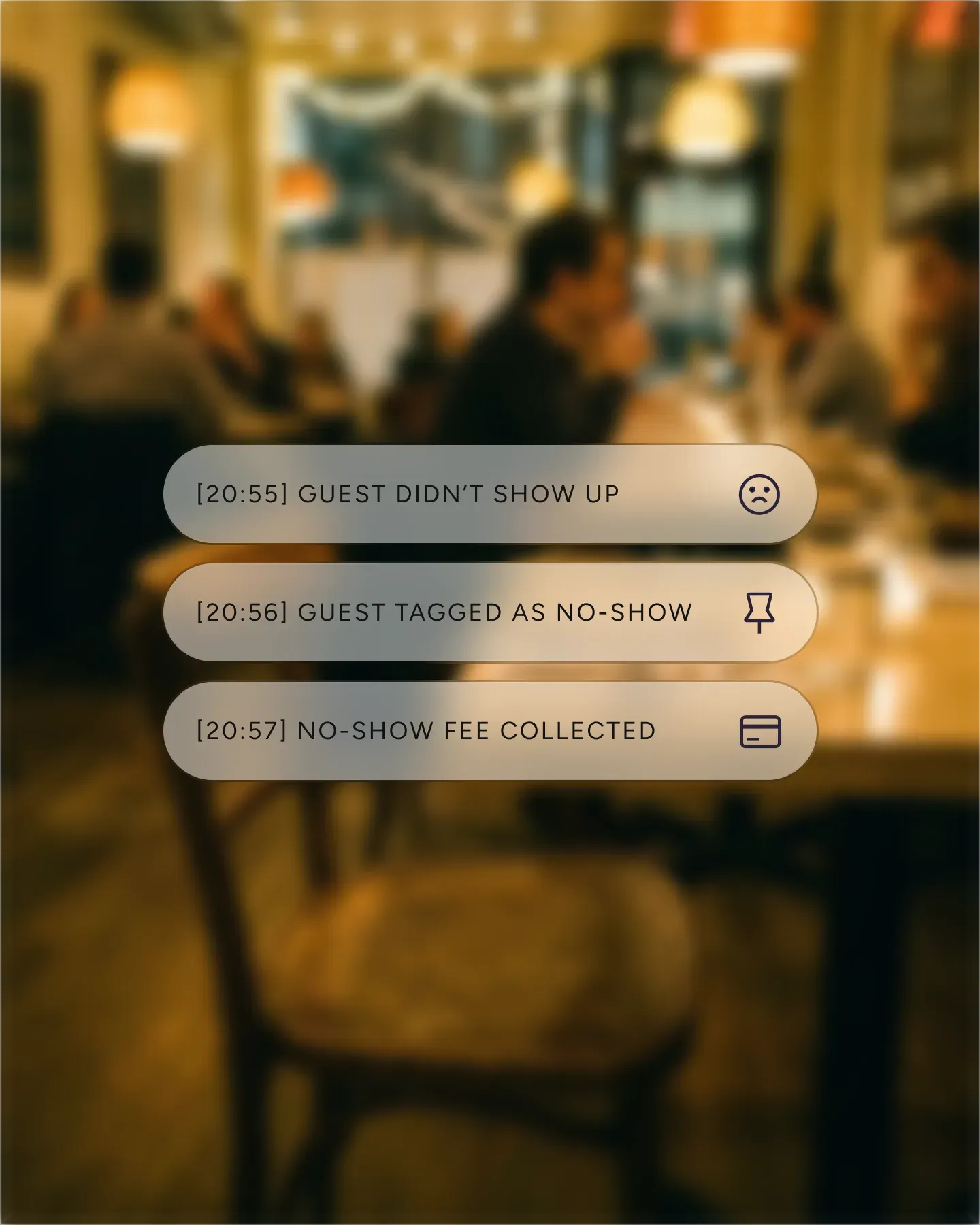
A two-top can walk in without a deposit. A party of eight pays up front. Set a minimum guest count and Resos only charges parties at or above that size. Same booking flow, two different commitment levels, no extra rules for your team to remember.
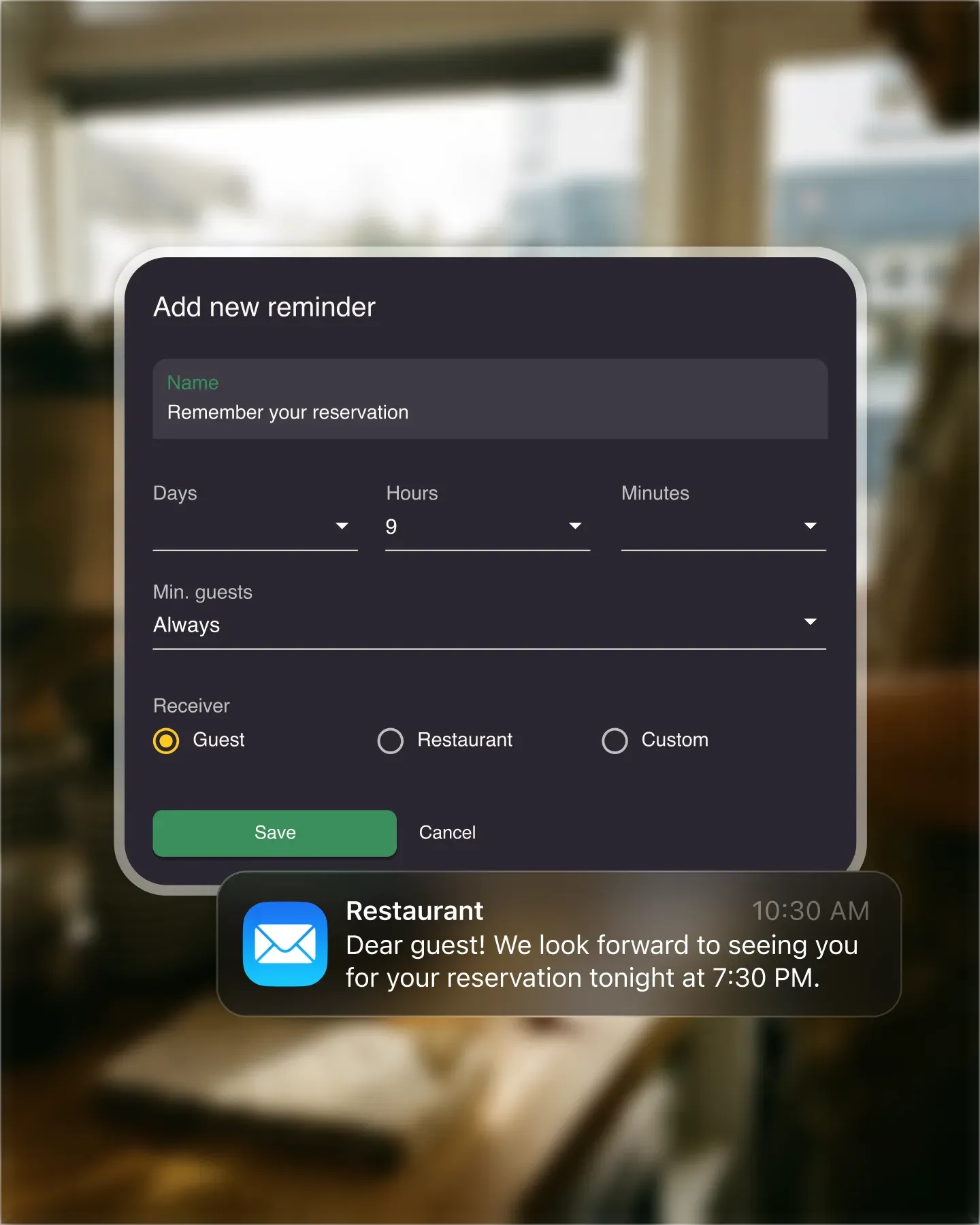
You decide the refund window – 24 hours before, 48, end of the previous day. Guests who cancel inside the window get their money back automatically. Guests who do not, do not. Either way, the table goes back on the market the moment the cancellation comes through.
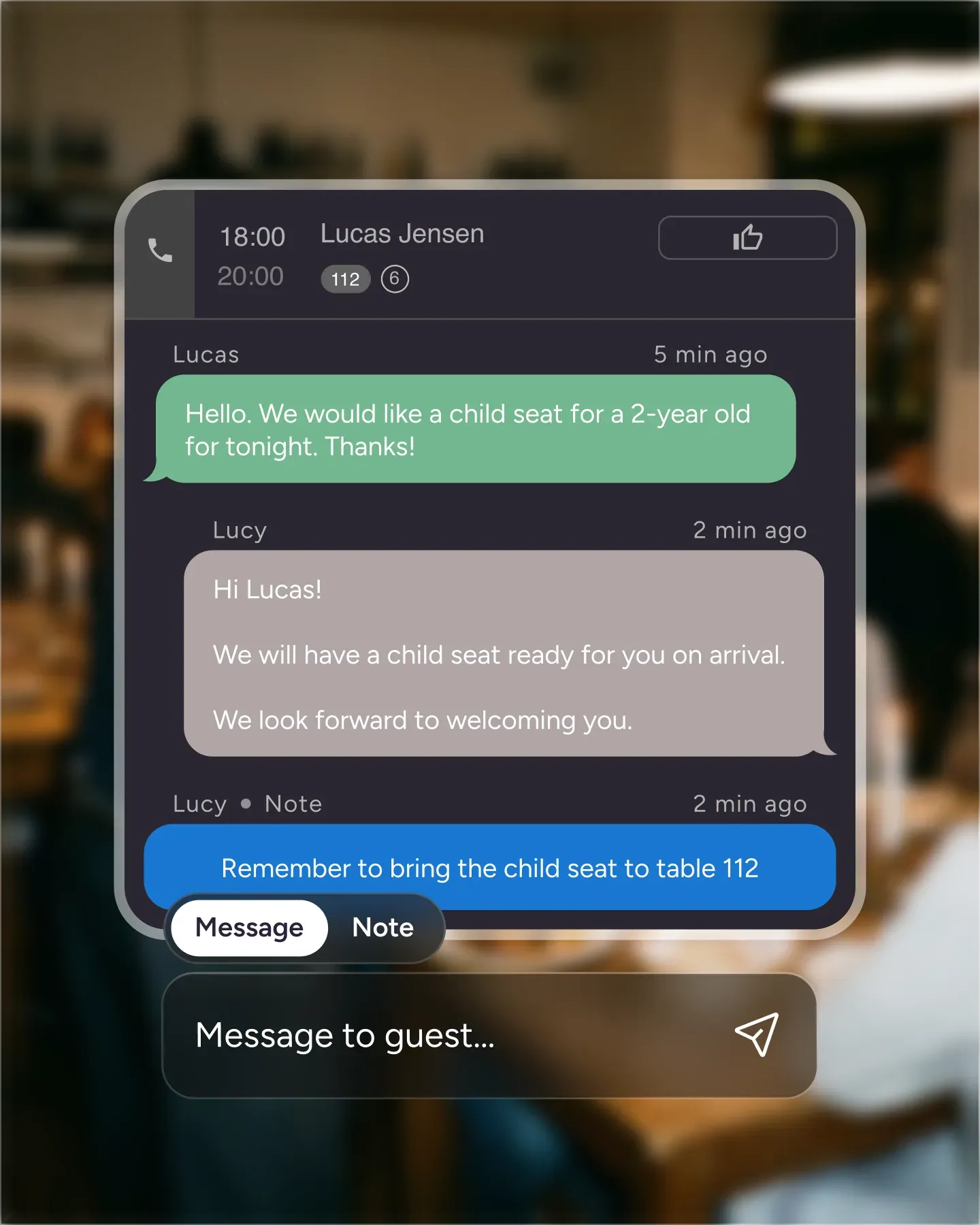
A guest calls to book a six-top for Saturday. Take the reservation, flip on the deposit, and Resos sends a payment link by SMS or email. They tap it, pay, and the booking goes confirmed. No separate Stripe link, no spreadsheet, no manual follow-up.

Create your account in seconds. No credit card required.

Add your opening hours, areas, and floor plan using our easy drag-and-drop editor.

Add your booking link to your website and social media. No coding required.
Online payments is the shared Stripe setup behind prepayments, no-show fees, and paid experiences. This page focuses specifically on collecting a prepayment or deposit before a restaurant visit.
Do you have a super busy restaurant?
Do you host events at your restaurant that require a prepaid reservation?
Or perhaps you often experience that guests don’t show up to their table reservation.
Charging a pre-paid deposit for reservations could be the answer to these issues. Therefore, we at Resos have made it possible to charge a deposit for prepaid reservations. The deposit can be adjusted based on your wishes, and the restaurant’s needs.
See current Online payment pricing and processing terms before enabling deposits. Stripe fees vary by region, payment method, and Stripe account.
You do not have to apply a deposit everywhere, and the data says you probably shouldn’t. In the Resos No-Show Index, the recorded no-show rate runs 43% higher at dinner (2.63%) than at lunch (1.84%), and January (2.62%) is the worst month of the year. Large parties are the other pressure point: they no-show less often than a table for two, but a 10+ booking that fails takes an average of 13.4 covers with it, so the expected loss per booking is around three times higher. Those are the services and party sizes most restaurants choose to protect first.
The deposit feature can be applied to your opening hours, but not necessarily to all of them. This means that you can add a deposit to some of your opening hours. This could for example be if you only wish to charge a deposit for evening reservations, but not at lunch. You have to manually activate the deposit feature on each opening hour if you want to charge a deposit on all servings. Go to “Settings” -> ” Opening hours”.

After you have activated the payment feature in ‘opening hours’, you can then define the criteria for prepaid reservations. You can decide to charge a deposit per guest, which can be particularly helpful when a reservation is made for a larger group of guests. For example, if the deposit per guest is set to $10 and there are 5 people on the reservation the total deposit charged for that booking will be $50. You can also choose to charge a deposit per booking, and not per guest. Then the total deposit charged for prepaid reservations will be the same no matter how many guests there are on a booking.
You can decide to only charge a deposit for a certain number of guests per reservation. In that way, you can choose that reservations with only a few guests don’t have to pay a deposit. For example, if the setting is set to a minimum of 4 guests, there will only be charged a deposit on bookings with 4 or more guests.
It is entirely up to you how long in advance a booking can be canceled and a deposit refunded. The later you set the time, the less time you have to receive a new booking. On the contrary, it will give the guests more sense of freedom if you allow them more time to cancel. It is a matter of judgment, but you can always change your settings on your computer, tablet, or in the Resos app.
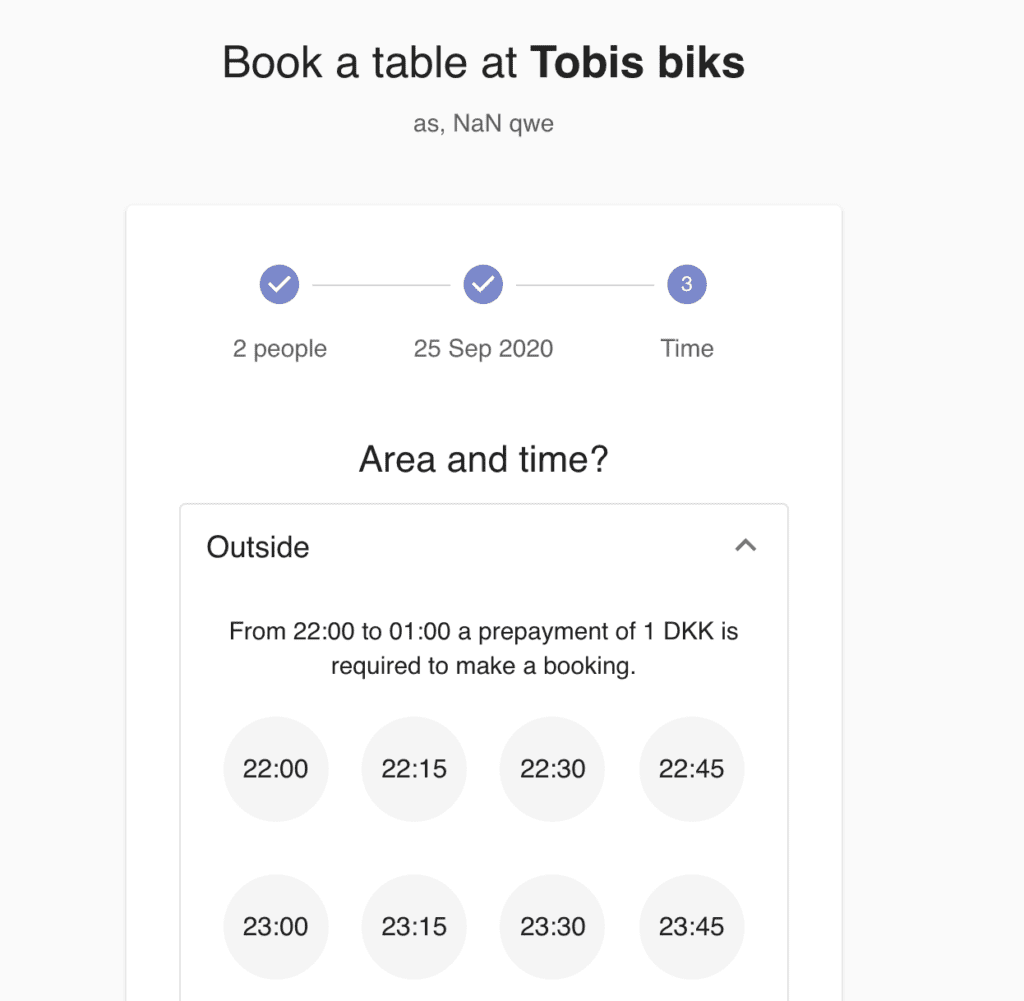
Guests will always know how much they will be charged when there’s a deposit. Then it won’t come as an unpleasant surprise later on. They will afterward be asked to fill out the information as a normal booking, and will then be taken to the payment portal.
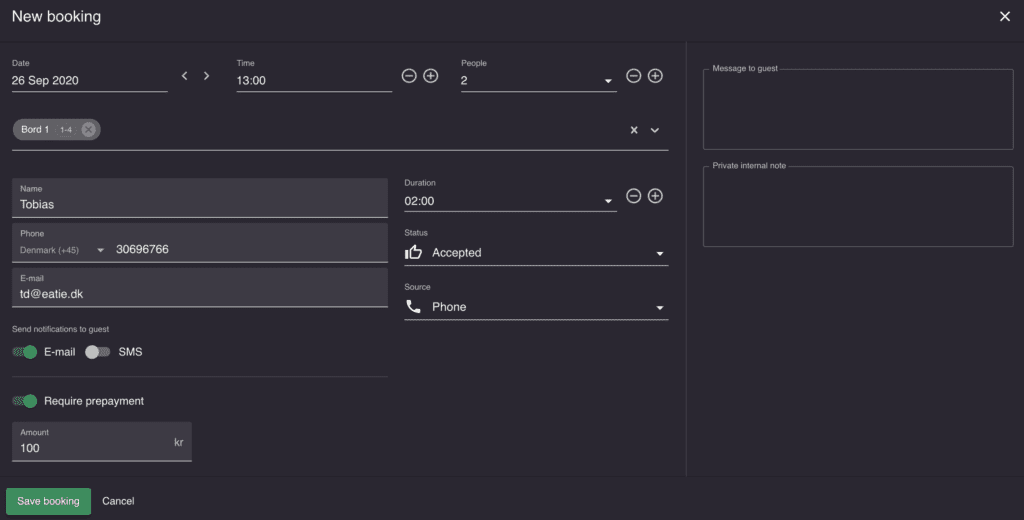
It is still possible to require a deposit when making reservations from a phone or physical meeting. When you create a booking, remember to activate prepayment and set the amount you wish to demand. Afterward, remember to tick off either e-mail or SMS, as this is how the guest will get the payment link delivered.

After creating a booking, you can follow on if the guest has paid for the deposit or not. The credit card symbol will be yellow if unpaid, and white if paid.
Check also our feature about reducing no-shows in your restaurant.
Watch a short walkthrough of connecting Stripe and turning on prepayments and no-show fees in Resos:
Do not hesitate with contacting us at hi@resos.com. Our sweet support team is always ready to help you set up everything.
 For Restaurants
  For Cafés
  For Bars
  For Pubs
 Since we started using Resos, we have found the flexibility of the product and customer support incredible. It's very user friendly and easy to manage in-house which is a huge plus!
We have been using Resos as the booking platform for our cheese & wine bar in Helsinki, Finland, for over six months, and we are really impressed by it!

Once set up properly, Resos will run the whole booking seamlessly. Been trying many softwares and none has reached the level of customization and speed as Resos. And great support too!

The floor view is working very nicely, you can see everything at the same time. Also, it was a very huge upgrade for us, that the guests can easily cancel their booking – it saved us from a lot of no-shows.

Easy integration into our website and Google page.

Resos makes reservations so much easier. It's straightforward, flexible, and perfect for small businesses like ours. We're so happy with it!

What sets Resos.com apart is not just its ease of use, but also the proactive approach of the Resos team. They continuously work hard to introduce new features and add value to their product.

Simplicity when booking for the customer and easily accessible through our website, Facebook and Google.
When we started our search for a booking system, Resos was the obvious choice. Not only is it affordable for us as a small business, but also offers so many features that make our jobs easier.

Being able to make a reservation without too much hassle goes a long way! Resos keeps the process intuitive and simple.

Fast, free and friendly support from real people who take the time to understand your restaurant.