In this article
A restaurant POS system is the tool your staff touch more than any other. It takes the order, splits the bill, moves a guest from the bar to a table, and closes the night with numbers you can trust. Most restaurants buy one, then spend years working around the fact that it does not know anything about their reservations.
We are building Resos POS to fix that specific problem. It is in development now, not on sale, and this page is where you can tell us what you need and get early access when it opens. Everything below describes what we are building and how we think about it, so you can judge whether it is worth waiting for.
What a restaurant POS system actually has to do
Vendor feature lists are long and mostly identical. In practice, six things decide whether a POS helps a service or fights it.
Take the order where the guest is. A server who takes an order on paper, walks to a fixed terminal, and types it in a second time has done the same job twice and introduced a place for it to go wrong. Ordering has to happen at the table, on a device that fits in an apron pocket.
Take payment on the same device. If your POS runs on one device and your card terminal is a separate box someone has to fetch, every bill ends with a walk. Payment belongs in the same hand as the order.
Split a bill the way guests actually ask. Not evenly, not neatly. Three people on one card, one paying for their own starter, someone who wants the wine on a separate receipt. A POS that only splits evenly sends your staff to a calculator.
Let you change the menu yourself. A dish sells out at 19:30. The person who needs to remove it is standing in the kitchen, not filing a support ticket. If a menu change needs a technician, the menu will be wrong most of the time.
Handle receipts and fiscal rules for your country. This is the part that is genuinely different in every market, and it is the reason a POS that works well in one country can be illegal to use in another. Requirements vary from a simple receipt obligation to certified hardware and signed transaction logs, and they change.
Report in numbers that match your other systems. If your POS says one thing about last Saturday and your booking system says another, you will stop trusting both. Reporting is only useful when it reconciles.
Those six are the operational test. If you are earlier than that and still deciding between system types, or comparing the established vendors against each other, our guide to POS systems for restaurants covers the categories, the pricing models, and what Toast, Square, and Clover each do well.
Why a POS that ignores your bookings costs you money
Every restaurant with a reservation book runs two systems that describe the same evening and never speak to each other.
Your booking system knows the table is a party of six, that they booked three weeks ago, that they have been in eleven times before, and that they once left a note about a nut allergy. Your POS knows what table 12 spent. Neither knows both, so nobody in the building can answer a simple question like which of your regulars is worth calling when you have a cancellation on a Saturday.
That gap shows up in ordinary ways:
- A server cannot see that the guests at table 4 are regulars until it is too late to say so.
- You cannot tell what an average booked cover is worth, so you cannot say what a no-show actually costs.
- Your busiest tables and your highest-spending tables are two different reports that never get compared.
- Guest history for marketing lives in one system and spending lives in the other, so neither is complete.
Restaurants solve this today by buying an integration, and integrations break. They break on updates, they lag, they map tables incorrectly, and when they fail nobody notices until the month-end numbers look wrong.
The alternative is not a better integration. It is not needing one, because the booking and the check are records in the same system from the start.
What Resos POS will be
Resos POS is in active development. Nothing here is available to buy yet, and we would rather tell you exactly what we are aiming at than describe it vaguely.
Mobile first, on hardware you can hold. The whole system is designed to be used standing up, next to a guest, on a phone or tablet. There is no fixed terminal you have to walk to, and no separate handheld that syncs later.
Payments included, not bolted on. Card payment happens on the same device that took the order, so a bill is closed where the guests are sitting.
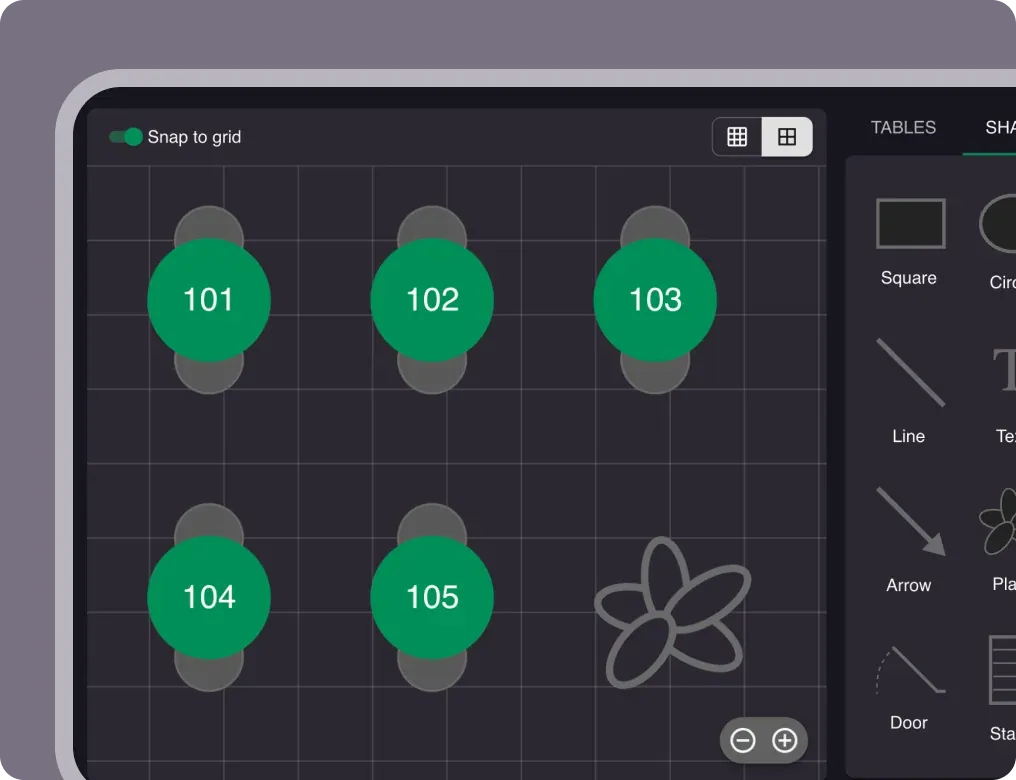
One system with your reservations. Because Resos already runs the booking, the table plan, and the guest history, a check opened on table 12 belongs to a booking, a party size, and a guest we have seen before. No integration, no mapping, no nightly sync.
Full order handling for the room. Course timing, moving a check between tables, splitting and merging, sending to the kitchen, and handling walk-ins alongside booked covers.
We will publish market availability as it becomes certain. Fiscal compliance is decided country by country and it is the part we will not guess about in public, so the waitlist is also how we work out which markets to open first.
What we want from you
If you join the waitlist, the useful part for us is not the email address. It is the answer to what you run at the till today and how many rooms you run it in.
That tells us which systems we need to import from, which hardware people already own, and which markets have enough demand to justify the certification work. The restaurants that tell us the most will get to see it first and will have the most influence over what it does.
We will not send you a newsletter. You will hear from us when there is something to look at, and occasionally with a question that only a restaurant can answer.
Common questions
When will Resos POS be available?
We are not putting a public date on it, because the honest answer depends on payment and fiscal certification in each market, and that timeline is not entirely ours to control. The waitlist is how you find out first. If you want a real answer about your specific country, tick the box asking for a call and we will tell you what we know.
Will Resos POS work with the booking system I already have with you?
Yes. That is the entire point. If you already use Resos for reservations, the POS is the same system rather than a second product to connect, so your tables, bookings, and guest history are already there.
Do I have to buy new hardware?
We are designing for hardware you can hold rather than a fixed terminal, and where we can support devices you already own we will. We will publish the supported hardware list before launch rather than after.
Does it handle card payments, or do I need a separate terminal?
Payments are part of it. Taking the order and taking the money happen on the same device, so closing a bill does not mean walking to a terminal.
What does it cost?
Pricing is not set. Restaurants that join the waitlist and help us shape the product will get early-access pricing, and we will tell the list before we tell anyone else.
Can I use Resos POS without using Resos for bookings?
Probably, but it is not what we are optimizing for. The reason to choose it is that bookings and orders live in one system. If you only need a till, there are cheaper products that do that well.
Which countries will you launch in?
The ones where enough restaurants ask and where we can meet the local fiscal requirements properly. Requirements differ substantially between markets, and we would rather open a country late than ship something that puts a restaurant on the wrong side of its tax authority. Telling us where you are on the waitlist genuinely affects this order.