In this article
With Resos you have the ability to focus on the satisfaction of your staff, kitchen, and guests. The system is easy to navigate in and very efficient to use for any oriental restaurant.
With Resos, your daily restaurant operation will become more streamlined automatically. The developers behind the system have with the help of research and knowledge of different restaurant types, built Resos to suit any restaurant’s needs. Regardless of how you want your oriental restaurant to be managed, Resos can fulfill your specific needs.
Receive and accept new reservations by SMS and e-mail
With Resos you do not have to manage reservations in a confusing online system. Choose how you want to receive reservations from new guests in your restaurant. Get notifications by SMS or email.
Offer online table booking on your website, Facebook and Google
Before making a reservation, guests often scroll through many different sites before they decide where to book a table. We have made it possible for you to offer online table booking on both Google Business, Facebook and your website.

Always crowded
Are you interested in being the most popular oriental restaurant within your area? Resos offers you:
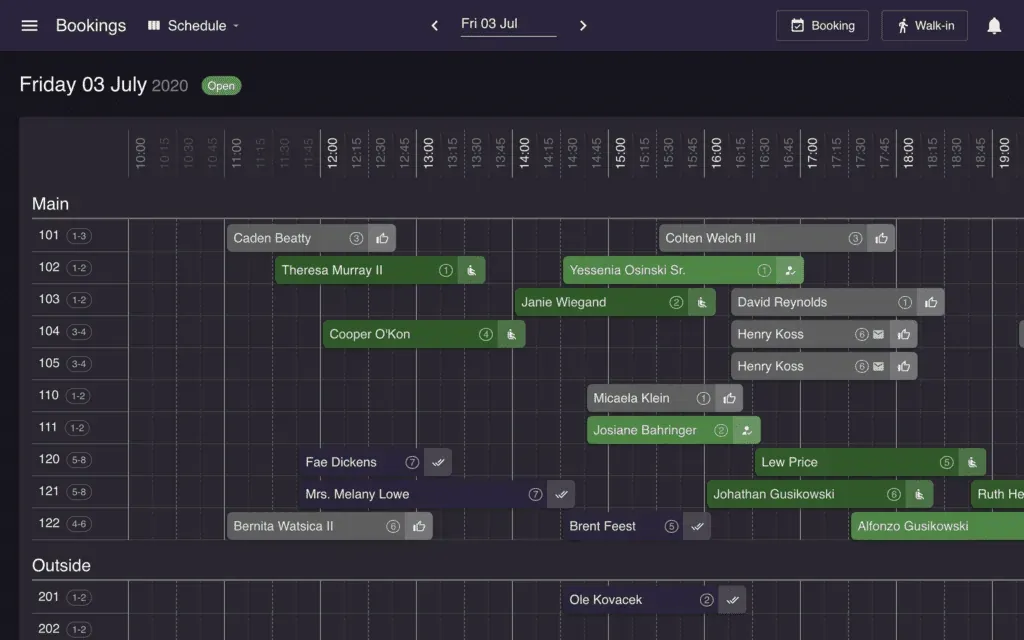
- Automatic or manual table management
- Beautiful online booking page, form, and widget
- Easily create and manage bookings and walk-ins
- Get bookings from your Google and Facebook profiles
- Collect guest feedback after each visit and prompt happy diners to leave a review
- Works on web and apps for iOS and Android mobiles and tablets
- Booking calendar, schedule and list views
- Global SMS notifications
- Communicate with guests
- Insights and reports
… and lots more - read about all Resos features here: Resos features kept simple.
We’re here to help!
Do you have any questions about how to set up the system? Our friendly support team is here to help! Write to us at hi@resos.com and we will get back to you as soon as we can.
You can also press the green button below to set up for free.