


How to set up the table assignment strategy
In this article
- Before you begin
- Choose your table assignment strategy
- Step 1: Open the table management settings
- Step 2: Select your preferred table assignment strategy
- Optimized fit (default)
- Priority-first (legacy)
- When is the table assignment strategy used?
- Stop two bookings landing on the same table
- Send larger parties to a private dining room
- FAQ
- Which strategy should I choose?
- Can I change the strategy later?
- Can I change the order of the areas in the Schedule view?
- Can I set a different booking duration per table?
The table assignment strategy lets you control how Resos automatically assigns tables to bookings. Depending on your restaurant’s workflow, you can choose whether the system should prioritize the best-fitting table or always follow your configured area and table priorities.
Choosing the right strategy helps optimize table usage while giving you full control over how bookings are allocated.
Before you begin
The table assignment strategy applies whenever table management is on, whether you use Add table(s) to bookings automatically or Manually add table(s) to bookings. It decides the order tables are offered, and in automatic mode, which table Resos preselects for the booking. If table management is off, this setting does not affect your bookings.
Read more about how to set up table management.
Choose your table assignment strategy
To configure your preferred strategy:
Step 1: Open the table management settings
Go to Menu → Settings & add-ons → Bookings → Managing bookings.
Make sure table management is set to Add table(s) to bookings automatically or Manually add table(s) to bookings (not Don’t use table management).
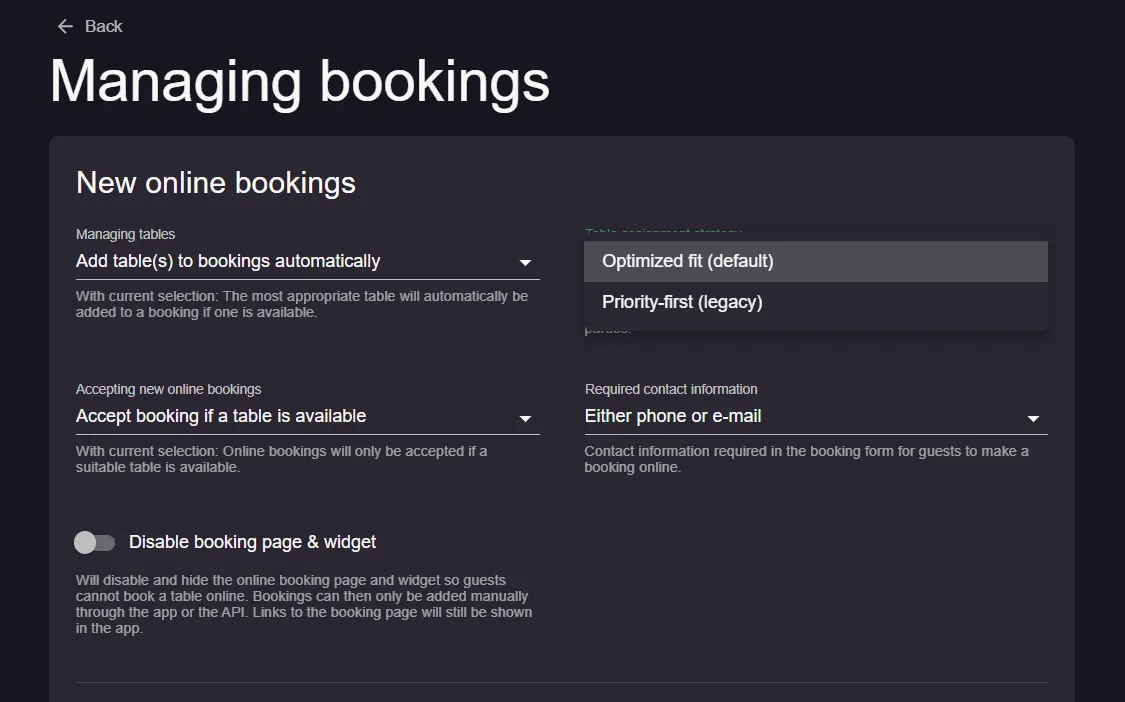
Step 2: Select your preferred table assignment strategy
Under table assignment strategy, choose one of the following options.
Optimized fit (default)
This is the recommended option for most restaurants.
With optimized fit, Resos automatically selects the smallest suitable available table for the booking, even if another area has a higher priority.
This helps:
- maximize table utilization
- reduce wasted seats
- improve availability for larger parties
- increase the number of bookings your restaurant can accept
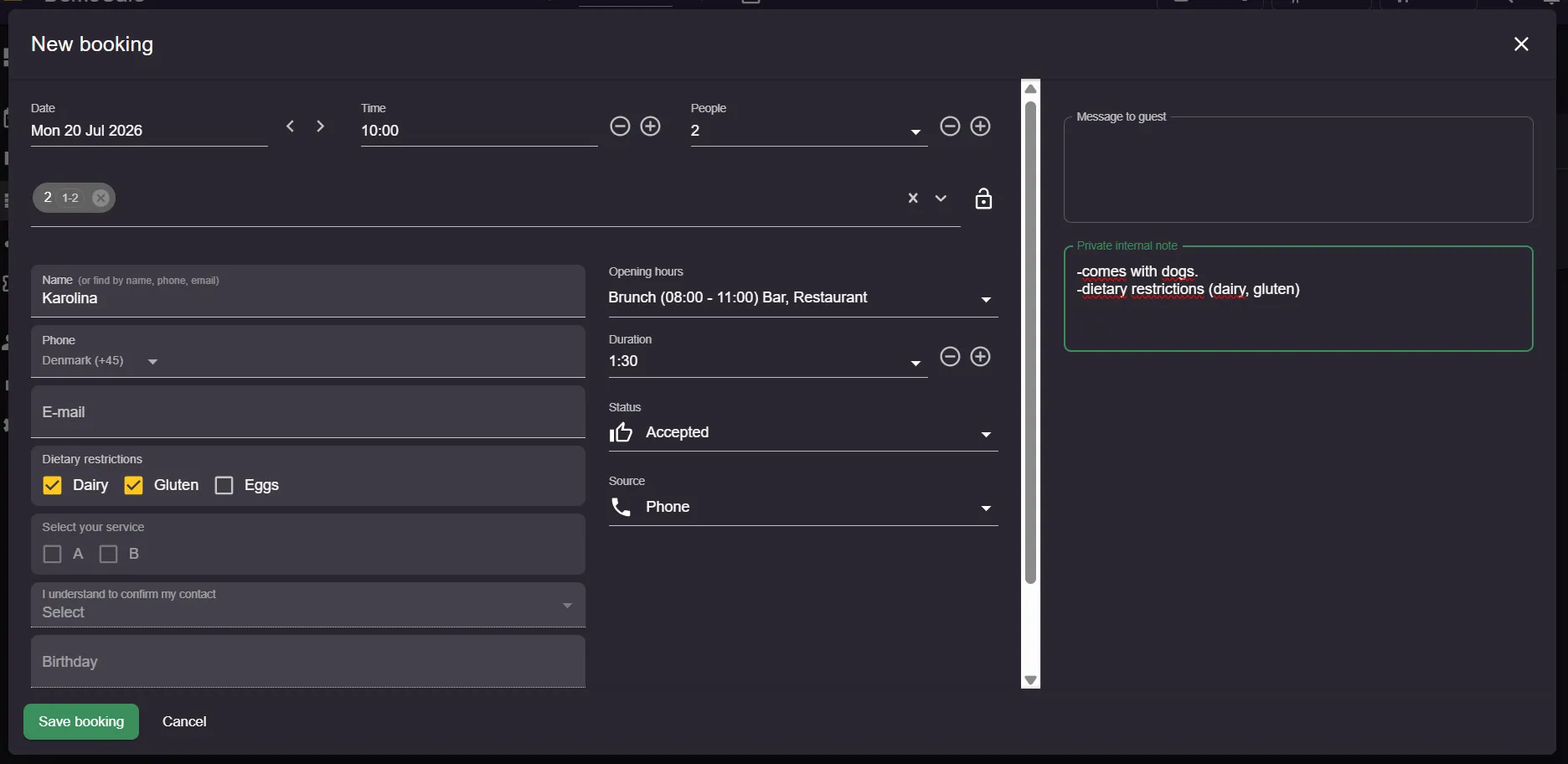
Example: if a party of 2 can fit at both Table 2 in the Restaurant area and Table 6 in the Bar area (higher priority), Resos will assign Table 2 if it is the best fit.
Priority-first (legacy)
Choose priority-first if you always want Resos to respect your configured area and table priorities.
The system will:
- first select the highest-priority area
- then assign the highest-priority available table within that area
This option works similarly to the previous table assignment behavior.
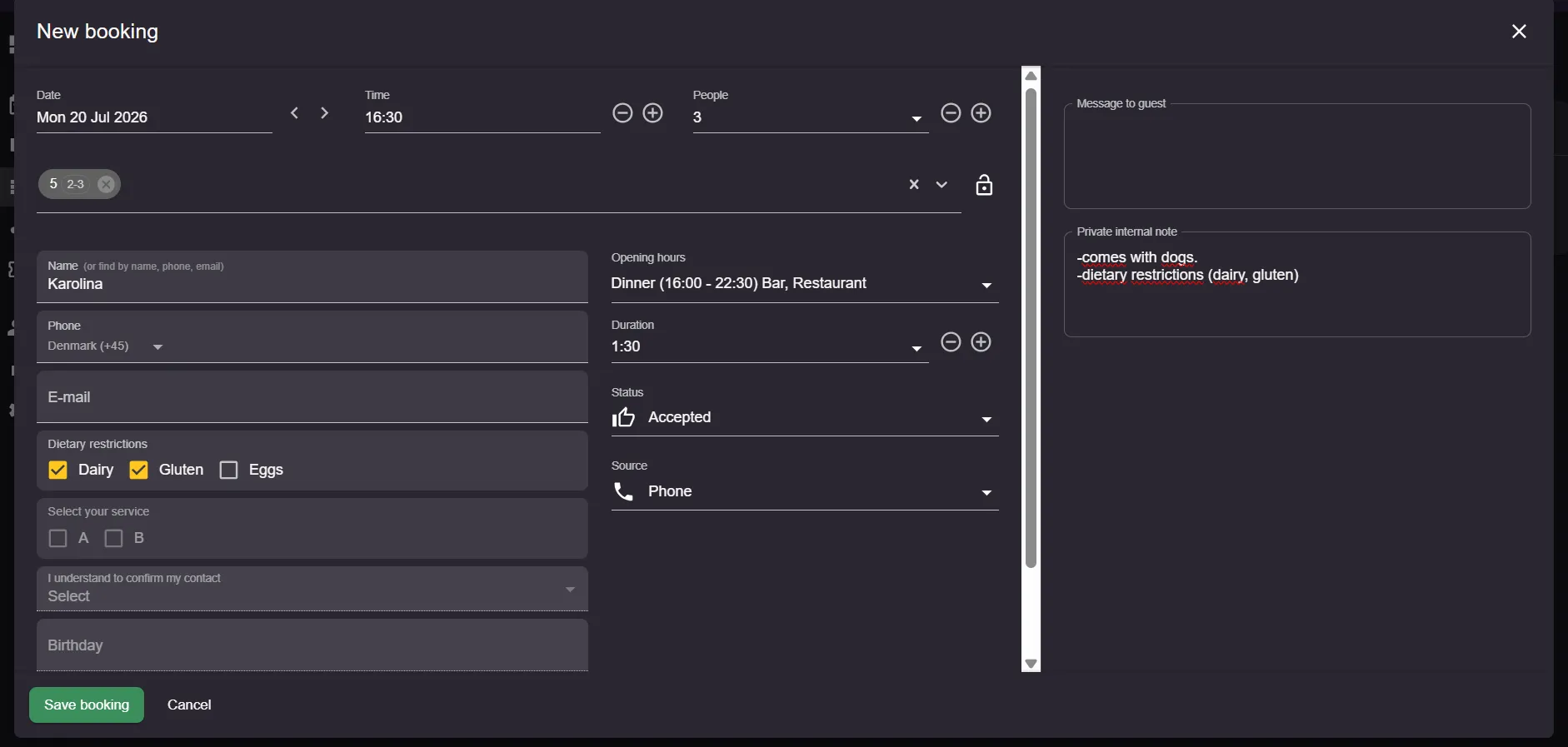
Example: if the Restaurant area has a higher priority than the Bar area, the booking will be assigned to the Restaurant whenever a suitable table is available, even if a better-fitting table exists elsewhere.
When is the table assignment strategy used?
The selected strategy decides the order tables are offered and preselected whenever a booking is created or edited, including:
- online bookings
- manually created bookings with automatic table assignment enabled
The automatic table reassignment optimizer works differently: it always prefers the best-fitting table, and only falls back to your configured area and table priorities as a tiebreaker when multiple tables fit equally well.
Stop two bookings landing on the same table
The strategy only decides which table a booking gets. Whether an online booking is accepted when no table is free is a separate setting, Accepting new online bookings, on the same page under Menu → Settings & add-ons → Bookings → Managing bookings.
- Accept booking if a table is available: guests are only offered times when a suitable table is free, and a booking with no free table is not accepted. Choose this if you have, for example, one table for 8 and never want two online bookings on it at the same time.
- Manually if a table is available: guests are only offered times when a suitable table is free, but each booking arrives as a request. A request you have not accepted yet does not hold its table, so two requests can ask for the same table.
- Manually accept or decline each booking and Automatically accept all bookings: times are offered without checking your tables, so you can receive more bookings than you have tables for.
Both “if a table is available” options need table management to be on. To stop two online bookings landing on one table, set Managing tables to Add table(s) to bookings automatically. With Manually add table(s) to bookings, an online booking arrives without a table, so that table stays free for the next guest until you add the booking to it.
Send larger parties to a private dining room
There is no rule that sends a party size to an area. You get the same result from the seats on your tables, because a table is only offered online to parties between its Minimum seats and Maximum seats. This relies on Resos adding the table itself, so Managing tables must be set to Add table(s) to bookings automatically:
- In the private dining area, set Minimum seats on its tables to the smallest party you want there, for example 6. Smaller parties are then never placed there online.
- Make sure no table or combination elsewhere seats that party size online. Either keep their Maximum seats below 6, or turn off Available online on the larger tables and combinations you want to keep for your team.
- If other tables still fit 6, choose Priority-first and give the private dining area the highest area Booking priority. With Optimized fit, a tighter-fitting single table elsewhere wins instead. Priorities only help when the private dining room seats the party at a single table: if it needs a combination, a single table elsewhere that fits is always chosen first, whatever the priorities, so use step 2 instead.
When the private dining room is already booked, a party of 6 or more gets any other table or combination that fits. If nothing else fits, the guest is offered no time at all when Accepting new online bookings is set to one of the “if a table is available” options. See how to set up table combinations for how combinations are ranked against single tables.
FAQ
Which strategy should I choose?
For most restaurants, optimized fit is recommended because it maximizes seating capacity and improves table utilization.
Choose priority-first if your restaurant prefers to seat guests in specific areas first or follows a fixed seating order.
Can I change the strategy later?
Yes. You can change the strategy at any time in Menu → Settings & add-ons → Bookings → Managing bookings. New bookings will follow the newly selected strategy.
Can I change the order of the areas in the Schedule view?
Yes. The Schedule view lists your areas by their area Booking priority, highest first, so lower the priority of an area to move it further down. The same priority also ranks areas when tables are assigned, most of all with Priority-first, so check that the new order still matches where you want guests seated.
Can I set a different booking duration per table?
No. A table has no duration setting. Booking duration is set for your restaurant, per opening hour and by party size; see define booking duration based on people. To keep one table free for part of a day, block it with Close Table, as described in block tables, areas and times from online booking.
We hope you found this guide useful. If you have any questions about the table assignment strategy or any general questions about Resos, do not hesitate to contact us at hi@resos.com. Our support representatives are excited to offer their help!


