In this article
Marketing and analytics integrations
Resos connects your booking flow to the marketing and analytics tools you already use. Instead of stopping at clicks or website visits, you can follow the steps that lead to a completed reservation. That gives your team a clearer view of which channels bring in guests, where people leave the booking flow, and which campaigns deserve more attention.
Marketing & Analytics is a paid add-on in Resos. You can connect one or several supported services, and Resos routes the relevant booking events to every destination you configure.
What can you connect?
Google Analytics 4
Send booking events directly to GA4 to compare traffic sources, build funnel reports, and see which sessions become reservations. Events cover the journey from opening the booking flow to selecting guests, date, and time, then completing or canceling a booking. Explore the Google Analytics integration.
Meta Pixel and Conversions API
Measure bookings connected to Facebook and Instagram campaigns and build retargeting audiences from booking activity. Resos sends browser events through Meta Pixel and can also send server-side events through the Conversions API. Matching events share an event ID so Meta can deduplicate them. Explore the Meta Pixel integration.
Google Ads
Record a conversion when a booking is completed. You can include an optional booking value, then use Google Ads reporting to compare campaigns and keywords by the reservations they generate. This gives bidding and return-on-ad-spend reports a business outcome instead of a page view.
Google Tag Manager
If the Resos booking widget is embedded on your website, booking events are pushed to the page’s dataLayer and sent as browser messages. Your team can use those events in its own Google Tag Manager setup. For security, Resos does not load a restaurant’s custom Tag Manager container on the hosted Resos booking page.
Follow the complete booking journey
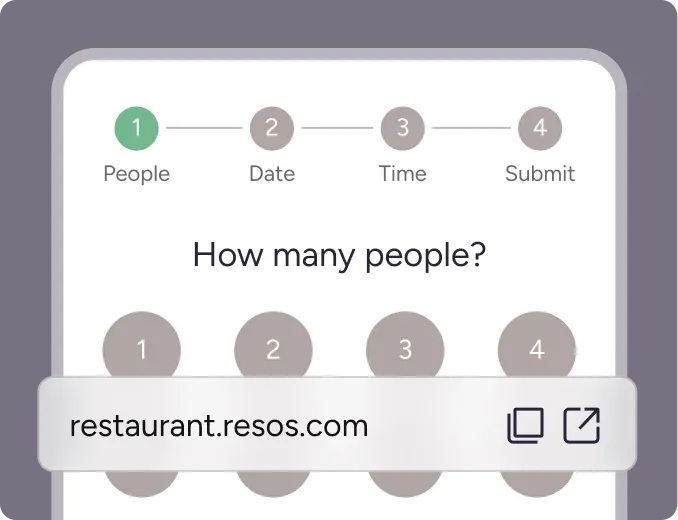
Resos emits named events at the important steps in the booking flow. These include:
- Arrival and intent: a booking page view and the start of the booking flow
- Booking choices: experience or regular booking, number of guests, date, and time
- Payment and conversion: payment information, payment, and completed booking
- Later activity: canceled bookings and messages sent through the booking flow
Each configured destination receives the relevant events, so you can use consistent definitions across GA4, Meta, Google Ads, and your own dataLayer reporting. A completed booking can include details such as guest count, booking date and time, booking ID, and an optional conversion value.
This helps answer practical questions: Which campaign starts the most bookings? Where do potential guests drop out? Which source produces completed reservations instead of visits? Are paid campaigns bringing in enough covers to justify their cost?
Set up Marketing & Analytics
- Open Settings and add-ons in Resos and choose Marketing & Analytics.
- Activate the add-on.
- Add the identifiers for the services you want to connect, such as a GA4 Measurement ID, Meta Dataset ID and access token, or Google Ads Conversion ID.
- Save the settings and complete a test booking.
- Check the real-time or diagnostic view in your chosen platform before relying on the data for reporting.
You do not need to connect every service. Start with the tools your restaurant already uses, then add another destination when there is a clear reporting or campaign need.
Consent and guest data
Tracking respects the guest’s consent choice in the booking flow. Where personal identifiers can improve conversion matching, Resos hashes fields such as email and phone before sending them, and only includes them when the guest has granted marketing consent. If you embed the widget on your own website, your website is responsible for passing its consent choice into the booking flow.
Detailed setup guides
- Set up Marketing & Analytics in Resos
- Connect Google Analytics 4
- Connect Meta Pixel and Conversions API
- Set up Google Ads conversion tracking
- Use Google Tag Manager with the embedded booking widget
Ready to measure real bookings?
Create your free Resos account and add the marketing tools that matter to your restaurant.
Our support team is always ready to help. Write to us at hi@resos.com.