In this article
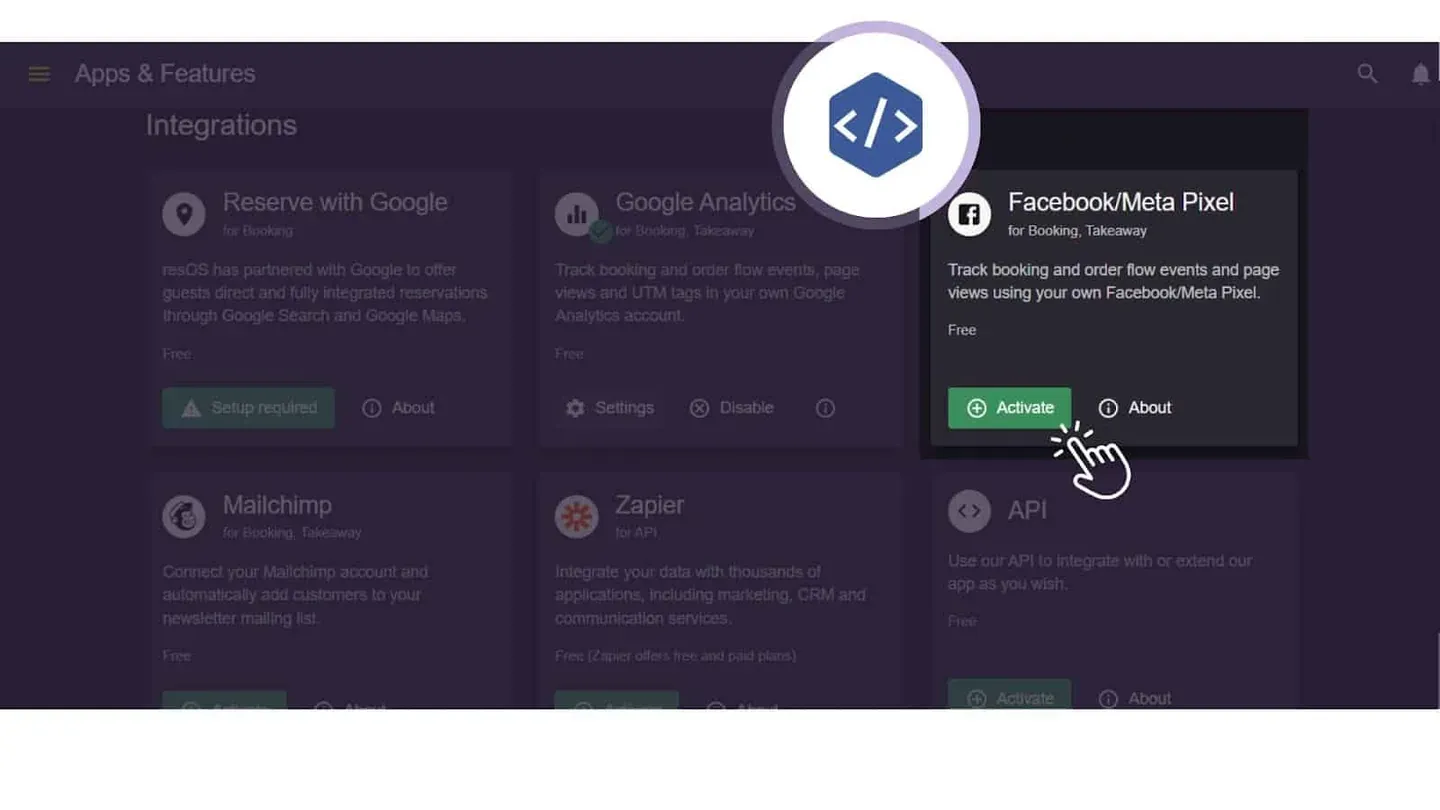
What is Facebook Pixel integration on Resos?
Facebook Pixel Integration allows you to seamlessly connect your Resos platform with Facebook/Meta Pixel. This powerful feature assists restaurant owners in acquiring valuable insights into customer behaviors, interactions, and engagements within the Resos booking system. With the Facebook Pixel conversion tracking feature, you can see exactly how visitors move from your booking widget to a completed reservation.
What are the benefits of the Facebook Pixel integration?
- Informed decision-making: Utilize data-driven insights to enhance restaurant performance.
- Customer behavior insights: Tailor services to customer preferences based on their interactions.
- Enhanced marketing strategies: Optimize campaigns for improved ROI with data-driven adjustments.
- User engagement analysis: Improve customer satisfaction by monitoring page views and engagement.
- Conversion tracking: Optimize services by measuring the impact of your booking system on customer actions.
- Audience segmentation: Better understanding of diverse customer demographics and preferences.
Why choose Facebook Pixel integration on Resos?
At Resos, we are committed to empowering restaurant owners with the essential resources for success. Through our Facebook Pixel integration, we establish a seamless connection between your Resos platform and Facebook/Meta Pixel, providing indispensable insights into customer behavior, interactions, and engagement within your booking system.
Effortlessly monitor and analyze
Upon successful integration, Resos promptly transmits crucial data to Facebook Pixel. Here’s a snapshot of what you can monitor right away:
- Page Views: Monitor page views within your booking widget to tailor content and optimize the user experience
- Event tracking: Track and analyze specific customer actions, helping you fine-tune your services.
- Conversion tracking: Measure the effectiveness of your campaigns and understand how they impact customer actions.
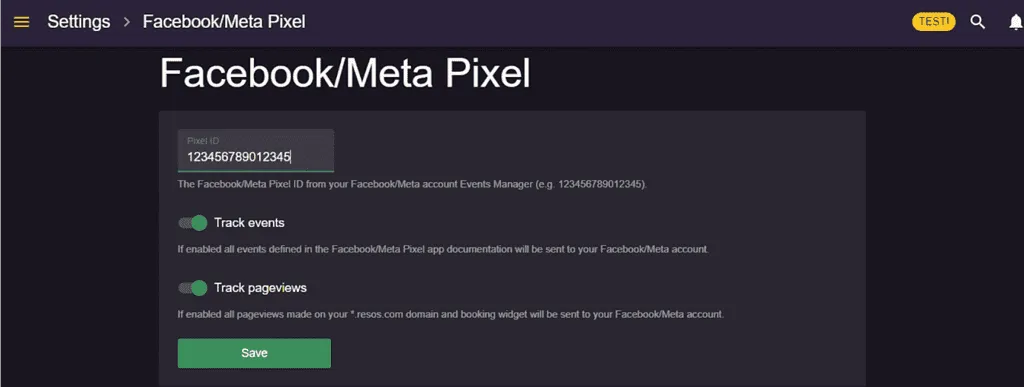
Empower your decisions through Resos
With Facebook Pixel integration on Resos, you have the power to make data-driven decisions that enhance your restaurant’s performance. Whether you’re focused on refining your online presence, optimizing marketing campaigns, or enhancing the customer journey, this integration equips you with the tools you need.
How to set up Facebook Pixel integration in the Resos app?
Ready to get started with Facebook Pixel Integration? Our step-by-step guide will walk you through the seamless Facebook Pixel integration process within the Resos app, allowing you to unlock valuable insights into customer interactions and behaviors, and ultimately, improve your restaurant’s overall performance.
Need assistance? Contact us anytime at hi@resos.com. We’re here to help!