In this article
At Resos, we have developed a booking system for fast food restaurants, which makes everyday life easy and clear. We have created a user-friendly system that will help you on a daily basis. This means that you can spend your time on what matters the most: your guests and the food you serve.
Our booking system is simple and has a professional look. This will give your guests a positive impression of your fast food restaurant even before visiting you for a quick lunch or dinner.

Great features for your fast food restaurant
- Guest feedback and overview of reviews
- Easy communication with guests
- Automatic confirmation for guests
- Effective table management
- A quick overview of bookings
- Easy integration of online booking on Facebook, Google and your website
- Access to the Resos system on all devices
- Friendly and helpful support
- And much more!
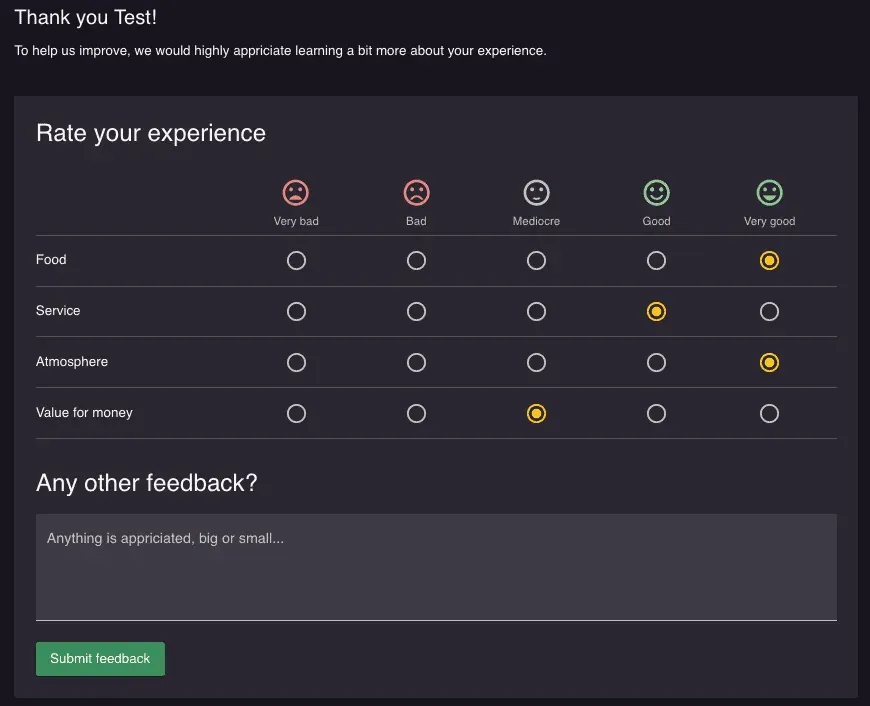
Read more about all our features and see which ones are best for your fast food restaurant.
Make table booking simple for your guests
With our simple booking form, it is easy for guests to book a table. We have designed a booking form that has a professional design and gives a good impression of your restaurant. In order for the guests to easily book a table, the booking form can be integrated into your Facebook page, website and Google My Business. With a few clicks, you can get a booking form set up and we will help you with all integration. By using Resos, you are always in safe hands.
In addition, you can choose to confirm bookings manually through email or SMS. You can also enable table management where bookings are confirmed automatically. At Resos we have adapted the system to exactly your wishes so that you manage bookings in the way that suits you best in the busy everyday life.
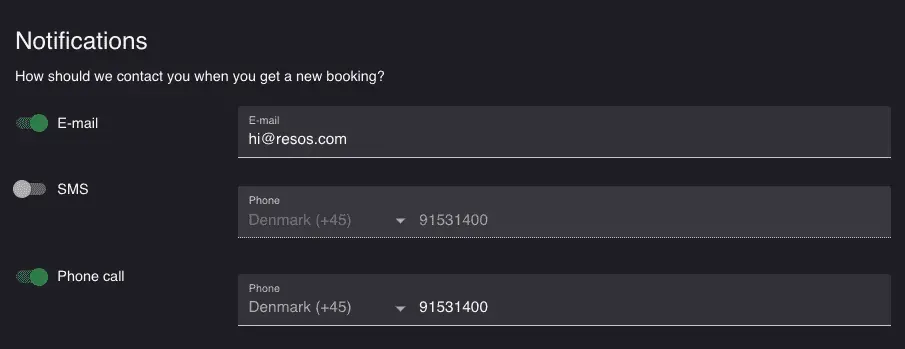
Here’s how to set up
Resos works on all devices. You can easily start using Resos on your computer, tablet or phone. That way, you can manage bookings from all your platforms wherever you are. To get more guests right away, we have made it easy for you to set up Resos.
Do you want to try it today? You can set up in minutes and we’ll help you with it all. Contact our friendly support team at hi@resos.com or register below.