In this article
The burger is one of the world’s most loved dishes and this will make your burger bar popular amongst guests. Resos has therefore developed a simple booking system for burger bars, which makes your everyday life easier. With Resos booking system, you have the time to focus on your delicious burgers while at the same time, have an easy overview of your bookings and available tables.
Simple booking system to your burger bar
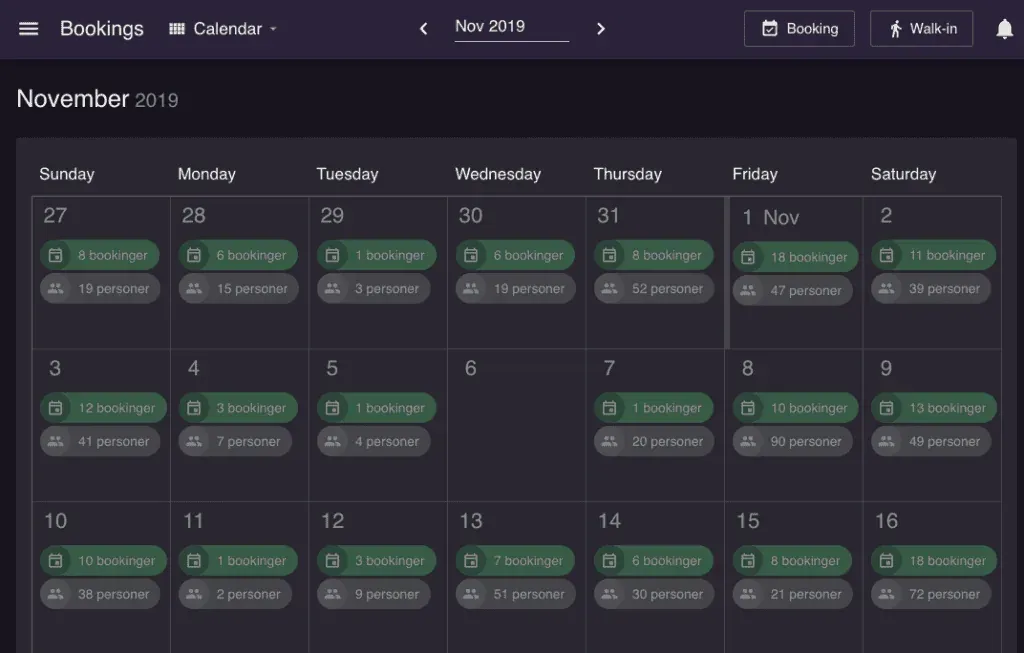
- Good overview of your walk-ins and online bookings
- Easy communication with the guests directly in the system
- Table management and overview of available tables and times
- Online booking form on your website, Google and Facebook
- Collect guest feedback after each visit and prompt happy diners to leave a review
- Statistics of number of visitors and their satisfaction
It is important to have a good overview to keep track of the many guests in your burger bar. That is why Resos has developed exactly that. The system is easy to use, intuitive and does not require any difficult integration.
Avoid misunderstandings and limit no-shows
Guests are in the centre for a successful burger bar. Therefore, it is important that you have a booking system with great communication features that will give you the opportunity to easily communicate with the guests. This will improve the general guest satisfaction and reduce the number of no-shows.
With Resos you can start a dialogue with guests to avoid frustrating miscommunications. When the guests book a table, they can write a comment or a question. This can be, for example, related to allergies, or a request like sitting next to a window. You can communicate with the guests directly in the system to avoid misunderstandings and give the guests a good impression from the start.
Make online booking simple for your guests
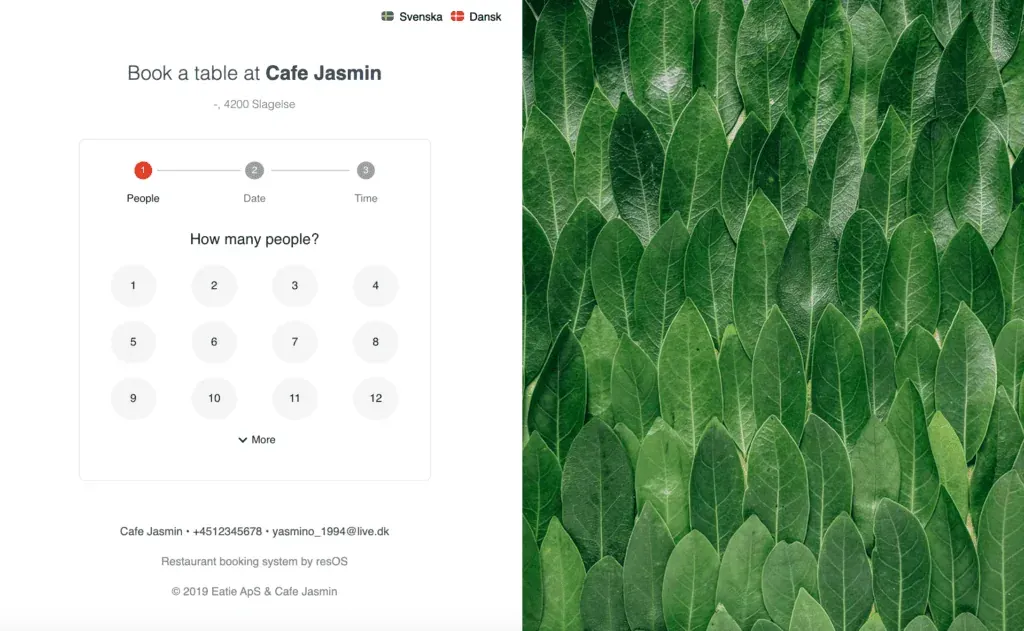
Resos is designed to make it nice and easy for the guests to book a table. Our simple booking form makes it easy for the guest to book a table and contributes to giving the guest a good first impression of your burger bar.
When you activate the table management, the booking is confirmed automatically. If you prefer to accept bookings manually, you can easily do this by email or SMS or directly in the system online.

Use table management to show your guests the available times
Use table management to get a clearer view of your available and booked tables. You can create all your tables in the system. Only the available tables are shown to the guests when they book online. Add the areas of the restaurant in the system and mark them as closed if they are unavailable.
With table management, you can
- Give your guests an overview of your available times
- Manage your tables, areas and available times
- Have a quicker turnaround on the tables in order to complete bookings if the guests leave early
- Mark the length of the bookings
- Prioritize which tables get booked first
- Choose which tables can be booked online and which can be booked by walk-in guests
- And much, much more!
Do you want to give this a try for free? You can get started for free today. Register by pressing the green button below. You can also contact us at hi@resos.com and we will help you get started to help you get more bookings. We’re more than happy to help!