How to set up Google Analytics 4 with Resos
In this article
This guide shows you how to connect Google Analytics 4 (GA4) to your Resos booking page so you can track every step of the booking flow.
What it does
When configured, every step of the booking flow is sent to GA4 as an event. You can see these in your GA4 Realtime report and build custom reports, funnels, and audiences around them.
Prerequisites
- The Marketing & Analytics add-on must be activated. See How to set up Marketing & Analytics.
- A Google Analytics 4 property with a web data stream
Steps
1. Find your Measurement ID in Google Analytics
- Go to Google Analytics
- Navigate to Admin > Data Streams
- Select your web stream
- Copy the Measurement ID - it starts with
G-(e.g.G-AB134CDEFT)
2. Enter the IDs in Resos
The settings page has two Google-related fields:
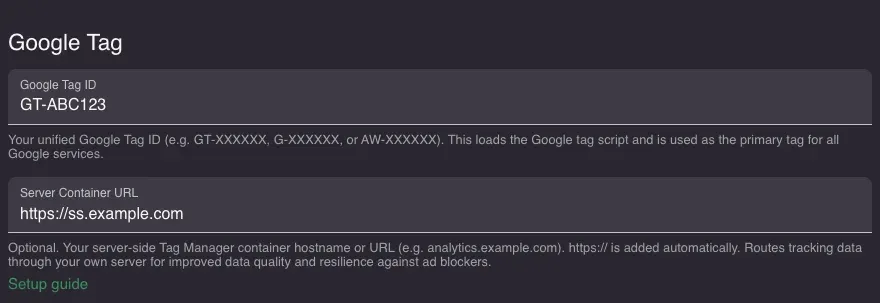
Google Tag ID loads the Google tag script (gtag.js) on your booking page. It can start with GT-, G-, or AW- and is shared across Google services. If you only use GA4, you can skip this field and just fill in the Measurement ID below.
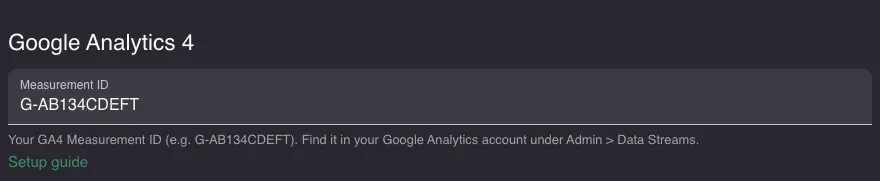
Measurement ID is your GA4 property identifier, always starting with G-. It tells the Google tag where to send analytics data.
- Go to Settings > Add-ons > Marketing & Analytics in your Resos dashboard
- Enter your Google Tag ID (optional) and Measurement ID
- Click Save
When to use which
| Your setup | Google Tag ID | Measurement ID |
|---|---|---|
| GA4 only | Leave empty | G-XXXXXX |
| GA4 + Google Ads | GT-XXXXXX or AW-XXXXXX | G-XXXXXX |
| Google Ads only (no GA4) | AW-XXXXXX | Leave empty |
Verify it worked
- Open your booking page, run
resos.debug()in the browser console, and reload - Look for
[GA4]entries as you click through the booking steps - In GA4, open Reports > Realtime and check that events like
ResosBookingStartandResosSelectGuestsappear