In this article
- What pub booking software does
- Walk-ins and bookings on one floor plan
- Busy nights, Sunday lunch and big groups
- Getting bookings from Google
- What it costs, in pounds
- Pubs using Resos
- Pub groups and more than one site
- Switching from a paper diary or another system
- FAQ
- Which is the best pub booking software?
Restaurant bookings. No contract, no commission, no cover fees.
One monthly price for your bookings. Pause or cancel whenever you like.
Resos is pub booking software for food-led pubs and gastropubs. Guests book a table from your website or a booking link, and walk-ins go on the same floor plan. The Free plan covers up to 25 bookings a month. Paid plans start at £39 a month, with no commission or cover fees.
Start free, no credit card · See prices in pounds
4.8/5 on Google (61 reviews) · 3,000+ restaurants, cafés, bars and pubs
What pub booking software does
Pub booking software takes your table bookings online and keeps them in one diary with your walk-ins and phone bookings. Resos gives you:
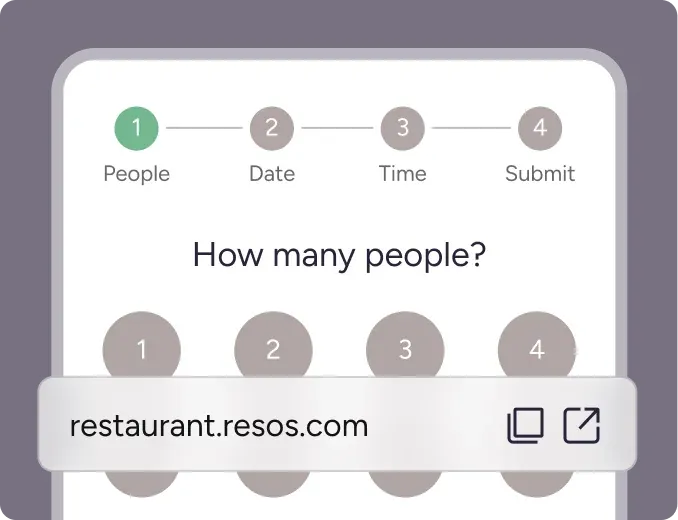
- A booking page on your website, or a link for your Instagram bio and Facebook page.
- Calendar, list and floor plan views of the same bookings.
- Automatic confirmations and reminders, so the phone stays quieter.
Walk-ins and bookings on one floor plan
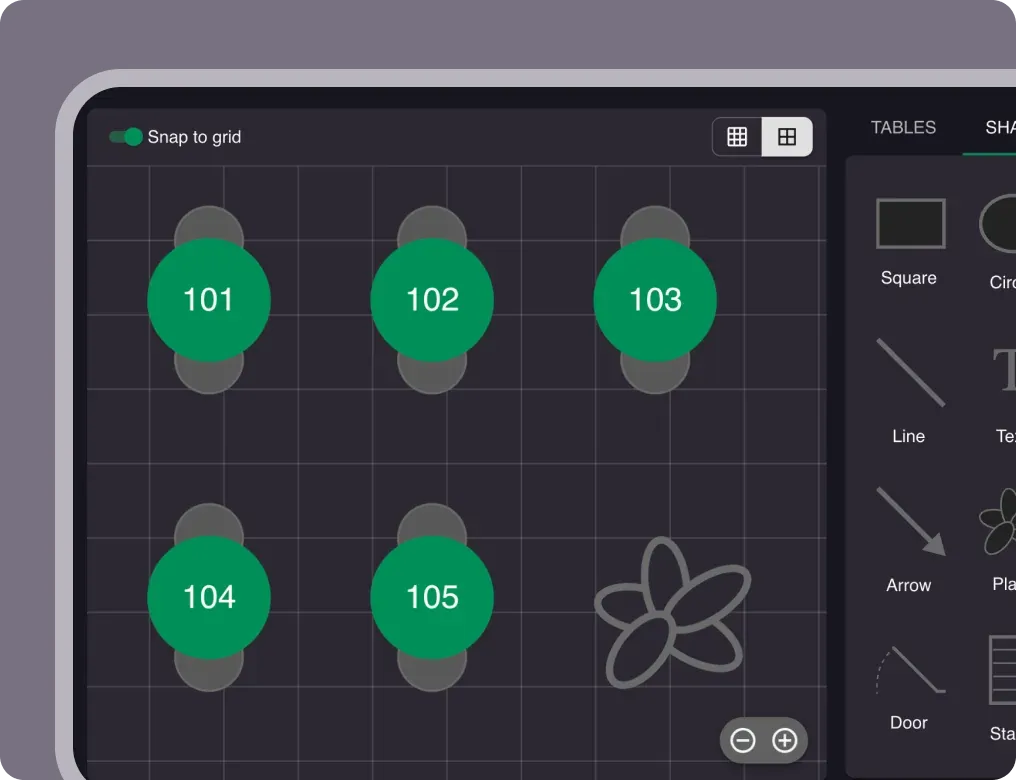
A pub never runs on bookings alone. Some nights the front bar is all walk-ins and the dining room is all bookings. In Resos, both sit on the same floor plan, so you can see which tables are booked, which are turning and where the next walk-in can sit, before anyone is shown to a table.
Set up each room once, with its own capacity and rules. During service, drag bookings between tables as the night changes.
Walk-ins you add to Resos count towards your plan’s monthly bookings, the same as online bookings. Plans count bookings, not guests.
Busy nights, Sunday lunch and big groups
Big groups. Take the booking, then protect it. With the Online payments add-on (£9.99 a month, paid plans), you can ask for a deposit only for large groups, weekends or special events, and set your own threshold. Each payment you take also carries a 2% Resos transaction fee, plus Stripe’s processing fees.
Booking well ahead. The Resos No-Show Index found that bookings made 30 or more days ahead are the most reliable. The riskiest window is 2 to 6 days out, so that is when a reminder does most of its work.
Pacing the kitchen. Stagger covers so the pass doesn’t take the whole Sunday lunch at once. The Old Forge in Sewerby does this (see below).
When you’re full. With the Waitlist add-on (£6.99 a month, paid plans), guests can join a waitlist. When someone cancels, you choose which party gets the table.
Reminders are free by email. SMS is also available.
Getting bookings from Google
Guests who search for your pub can book from Google Search and Maps with the Reserve with Google add-on:
- It costs £6.99 a month and needs a paid plan.
- The first activation comes with a 30-day free trial.
- The booking button can take up to 48 hours to appear on your Google profile.
- Google bookings can’t take payments yet, so send deposit bookings (Christmas parties, big groups) through your own booking page.
What it costs, in pounds
| Plan | Per month | Billed annually, per month | Bookings per month |
|---|---|---|---|
| Free | £0 | £0 | 25 |
| Basic | £39 | £31 | 350 |
| Plus | £79 | £62 | 750 |
| Unlimited | £119 | £93 | Unlimited |
- Every plan: all core features and personal support. No commission and no per-cover fee on any plan. No setup fees.
- Free: no credit card, free forever, for up to 25 bookings a month. When you reach 25 bookings, the booking page keeps taking bookings, but guest emails stop and the dashboard asks you to pick a paid plan. The Free plan never upgrades on its own. Add-ons are not available on Free.
- Paid plans: pause or cancel anytime, with a 90-day money-back guarantee. Each add-on is free for 30 days, then billed at its listed price.
- Paying in pounds: card or Bacs Direct Debit (GBP).
Add-ons pubs ask about (paid plans only):
| Add-on | Per month | What it does |
|---|---|---|
| Reserve with Google | £6.99 | Guests book from your Google Business profile |
| Waitlist | £6.99 | Guests join a waitlist when you’re fully booked |
| Online payments | £9.99, plus 2% of each processed payment and Stripe’s fees | Card guarantees, prepayments and deposits |
| Reserve with Facebook & Instagram | £9.99 | “Book now” on your social profiles |
| Multiple locations | £9.99 per location | Run several sites; guests choose where to book |
Online payments also covers no-show fees.
See full prices in pounds · How bookings are counted
Pubs using Resos
The Old Forge, Sewerby. A pub cooking from local ingredients. It staggers covers so the kitchen never gets buried, and Reserve with Google fills the empty afternoons.
“Resos quickly and efficiently allows us to schedule customers in a timely fashion, therefore ensuring the throughput to the kitchen is at a smooth pace without being overloaded at any one time.”
– Eddie King, The Old Forge, Sewerby, UK
“Simplicity when booking for the customer and easily accessible through our website, Facebook and Google.”
– The Old Forge, Sewerby, UK
The Pheasant, Churchtown, Cornwall. A holiday pub that fills up with summer guests. Staggered booking limits keep service relaxed, and Reserve with Google catches people searching for somewhere to eat that night.
Pub groups and more than one site
Running two or more pubs? With the Multiple locations add-on, guests choose which pub to book. Each pub is its own Resos profile, with its own plan, its own booking limit and its own invoices, and the add-on (£9.99 a month) is charged per location.
Switching from a paper diary or another system
Moving from another system takes seven steps:
- Export your data from the old system.
- Create your Resos profile.
- Set up opening hours and tables.
- Import your guests and bookings.
- Set up notifications.
- Put your Resos booking link where guests book.
- Check it works, then switch over.
You can import your booking history and your guest list from CSV files. Opening hours, tables and settings you set up by hand. Keep the old system running until a test booking arrives in Resos. Our team helps with the migration. On the Free plan, imported bookings count towards your 25 a month, so email hi@resos.com before you import.
Coming from a paper diary? Start on the Free plan and enter tables and opening hours in step 3.
FAQ
How much does a pub booking system cost?
With Resos, Free is £0 for up to 25 bookings a month. Basic is £39, Plus £79 and Unlimited £119 a month, or £31, £62 and £93 a month billed annually. There’s no commission or cover fee on any plan.
Is there a free booking system for pubs?
Yes. The Resos Free plan takes up to 25 bookings a month, needs no credit card and is free forever. When you reach 25 bookings, the booking page keeps taking bookings, but guest emails stop and the dashboard asks you to pick a paid plan. The Free plan never upgrades on its own. Add-ons such as Reserve with Google and deposits are not available on Free.
Can I handle walk-ins and bookings together?
Yes. Walk-ins and bookings sit on the same floor plan, so you can see which tables are free before you seat anyone. Walk-ins you add count as bookings towards your plan.
Can I take deposits for large groups or Christmas bookings?
Yes, with the Online payments add-on: £9.99 a month on paid plans, plus a 2% Resos transaction fee on each payment and Stripe’s processing fees. You choose when a deposit applies, for example only for large groups or special events. Deposits can’t be taken on Google bookings yet.
Can guests book my pub from Google?
Yes, with the Reserve with Google add-on: £6.99 a month on paid plans, with a 30-day free trial. The button can take up to 48 hours to appear. Google bookings don’t support payments yet.
Does it work for a pub group?
Yes. With the Multiple locations add-on, guests choose which pub to book. Each pub has its own plan and booking limit, and the add-on is £9.99 a month per location.
Do bookings count per guest?
No. Plans count bookings, not guests, so a table of twelve is one booking.
Is there a contract?
No contract. Paid plans can be paused or cancelled anytime and come with a 90-day money-back guarantee. A cancellation takes effect at the end of the current billing period.
Which is the best pub booking software?
It depends on whether you rely on a diner marketplace, whether you’ll pay per cover, whether you need deposits, and how many bookings you take a month. For a side-by-side view, see the UK comparison on restaurantbookingsystem.com, a site run by Resos.
Start free, no credit card. 25 bookings a month on the Free plan. Paid plans from £39 a month. See prices in pounds